
Top 10 Discord Tools Every Server Owner Should Know About
Running a successful Discord server takes more than just inviting members. From moderation and branding to analytics and community growth, the right tools can save time and improve the overall experience for your members.
Here are 10 useful Discord too
1. Discord Tools
Website: Discord Tools
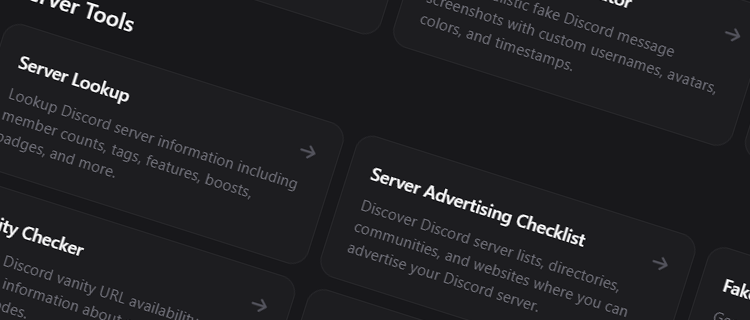
Discord Tools offers a collection of utilities designed for Discord users, server owners, and community managers. Whether you're looking for server-related tools, Discord utilities, or community resources, it's a useful place to discover tools that can help manage and grow your server.
Best for: General Discord utilities and resources.
2. Discord
Website: https://discord.com
The official Discord platform remains the most important tool for any community owner. Discord provides voice chat, text channels, forums, events, stage channels, and countless customization options.
Best for: Hosting communities.
3. Carl-bot
Website: https://carl.gg
Carl-bot is one of the most popular moderation bots available. It offers reaction roles, moderation tools, logging, automations, and welcome messages.
Best for: Server management and moderation.
4. MEE6
Website: https://mee6.xyz
MEE6 helps automate common server tasks, including moderation, custom commands, leveling systems, and announcements.
Best for: Community automation.
5. Statbot
Website: https://statbot.net
Statbot provides detailed analytics for Discord servers, helping administrators understand member activity, channel usage, and growth trends.
Best for: Server analytics.
6. Invites.gg
Website: https://invites.gg
Invites.gg allows Discord server owners and bot developers to create free custom vanity URLs. A memorable invite link can help strengthen branding and make communities easier to share.
Best for: Custom Discord invite links.
7. Fonts.gg
Website: https://fonts.gg
Fonts.gg provides stylish Unicode fonts, symbols, and aesthetic text generators that can be used for Discord usernames, profiles, bios, and community branding.
Best for: Username styling and profile customization.
8. Canva
Website: https://canva.com
Canva makes it easy to create server icons, banners, social graphics, and promotional materials without advanced design experience.
Best for: Discord graphics and branding.
9. DiscordServers.io
Website: https://discordservers.io
DiscordServers.io helps users discover communities across a wide range of categories, making it a useful platform for promoting and growing Discord servers.
Best for: Server discovery and promotion.
10. DiscordBots.net
Website: https://discordbots.net
DiscordBots.net is a large bot directory where users can discover moderation, utility, entertainment, and community bots for their servers.
Best for: Finding Discord bots.
Comparison Table
| Tool | Primary Use |
|---|---|
| Discord Tools | Discord utilities |
| Discord | Community platform |
| Carl-bot | Moderation |
| MEE6 | Automation |
| Statbot | Analytics |
| Invites.gg | Vanity invite links |
| Fonts.gg | Fonts & symbols |
| Canva | Design |
| DiscordServers.io | Server discovery |
| DiscordBots.net | Bot discovery |
Final Thoughts
Every Discord server has different needs, but most communities can benefit from a combination of moderation, analytics, branding, and growth tools.
Whether you're managing a small friend group or a large public community, tools like Discord Tools, Invites.gg, and Fonts.gg can help improve your workflow and make your server more professional and engaging.